![cascade-lockup-dark.png]](https://knowledgebase.cascadedebt.com/hs-fs/hubfs/Logos%20(new)/cascade-lockup-dark.png?height=40&name=cascade-lockup-dark.png)
What it can do
- Answer questions across your whole portfolio. Loan performance, borrowing base position, covenant status, data recency, facility terms — anything you could find by clicking through the platform, and a good deal you could not.
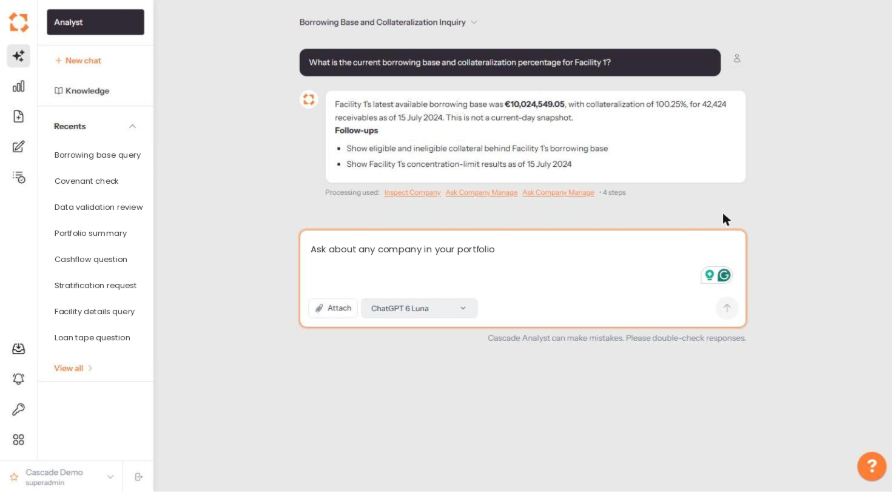
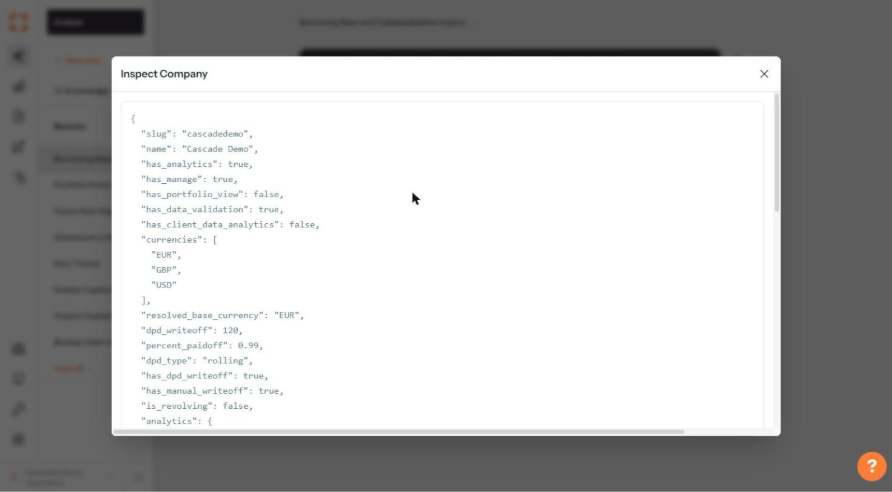
- Show its work. Every answer carries a Processing used line listing the tools it called and the number of steps. Click any of them to see the raw data behind the answer.
- Respect your permissions. Analyst is scoped to what your user account can already see. It cannot surface a facility or a company you are not entitled to.
- Keep its place. Threads persist. Come back a day later, open the thread from Recents, and carry on.
- Take your context. Give it standing instructions and upload reference files through Knowledge so it answers the way your team needs.
- Work on documents you attach. Attach a loan tape or a PDF to a question and Analyst will read it.
Where to find it
Click the Analyst icon at the top of the left-hand icon rail.
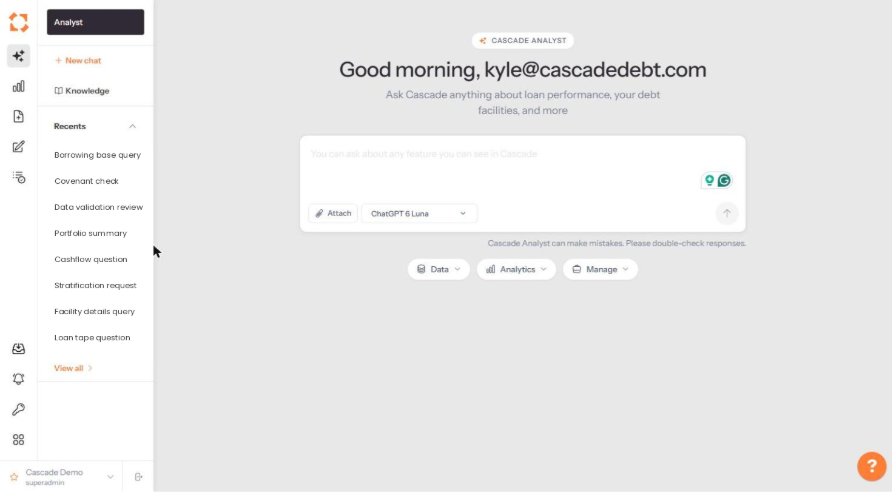
Suggested prompts
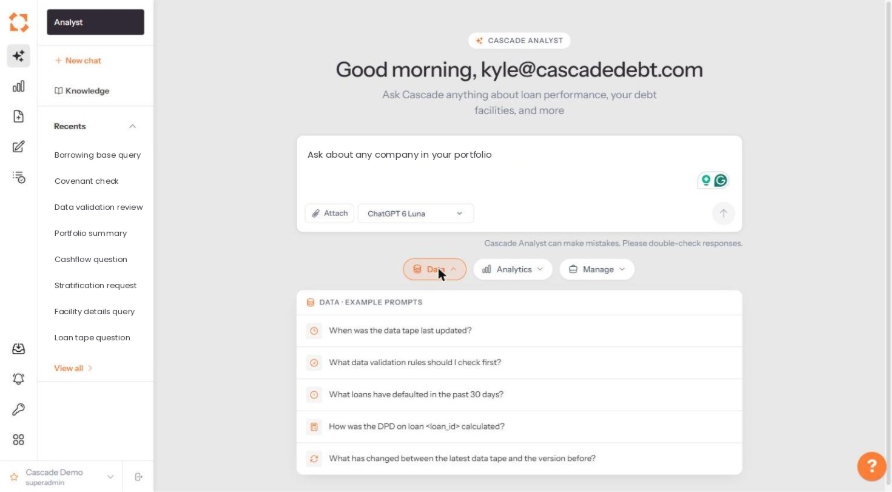
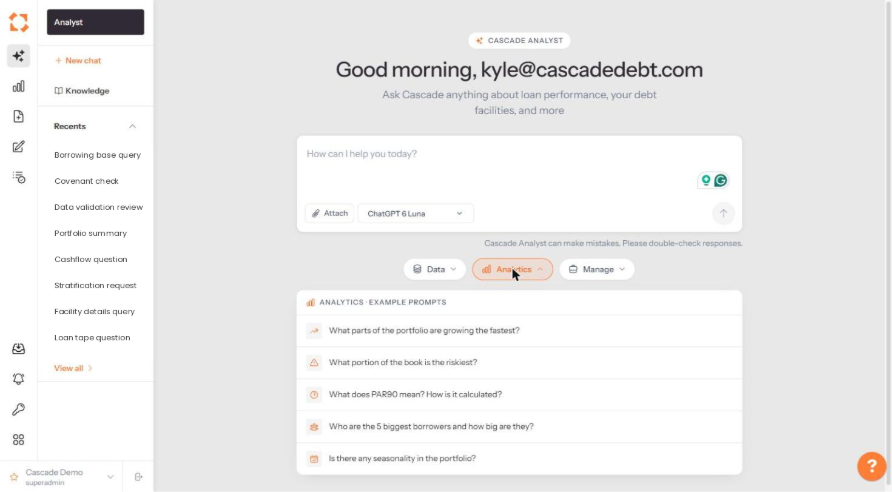
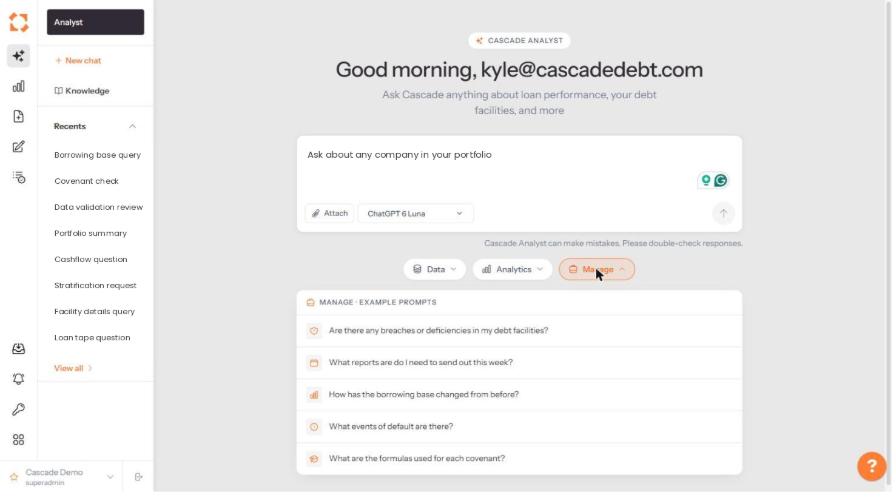
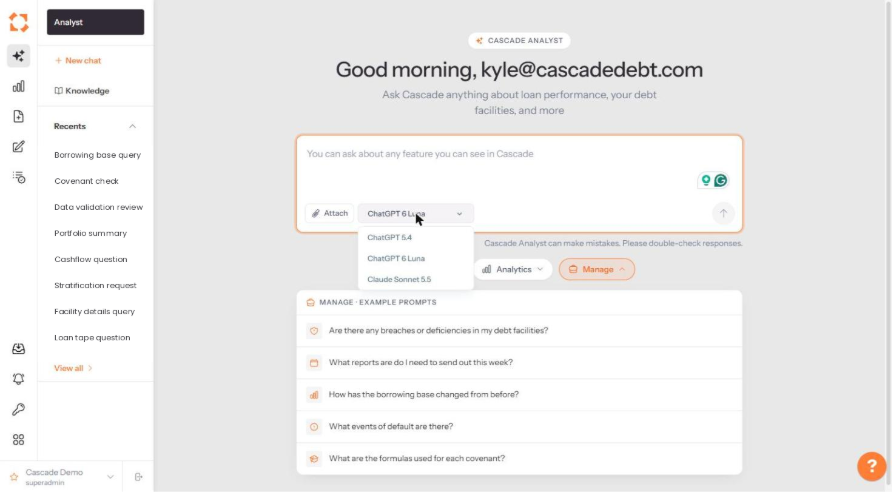
Three grouped prompt menus sit below the question box — Data, Analytics and Manage. They are the fastest way to see the shape of question Analyst handles well.
Choosing a model
Analyst runs on a choice of models. Click the model name beside Attach to switch.
Transparent sourcing
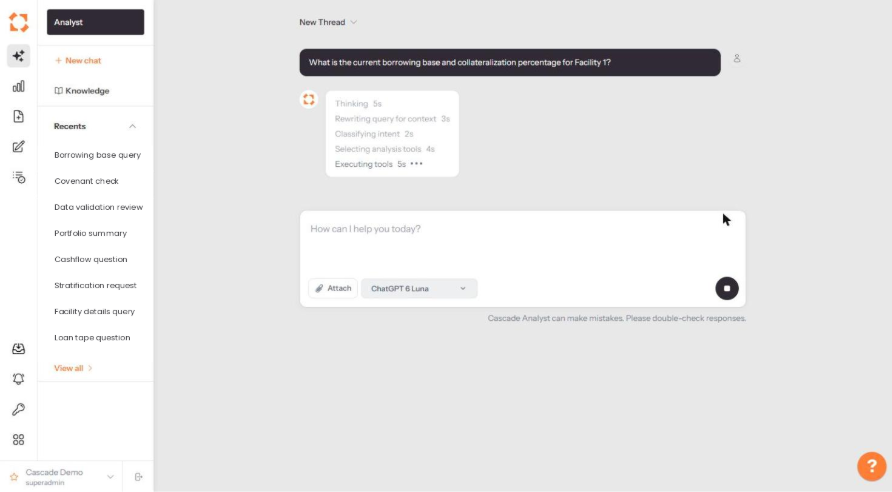
While Analyst works, it shows each stage of its reasoning — rewriting your query for context, classifying intent, selecting analysis tools and executing them.
When the answer lands, the Processing used line beneath it names every tool it called.
Click a tool name to open the raw payload it returned. This is what makes an Analyst answer auditable rather than merely plausible.
A word of caution
Every Analyst screen carries the line "Cascade Analyst can make mistakes. Please double-check responses." Treat it as a research assistant, not as a system of record. For anything that will go to an investor or into a certificate, confirm the figure against the relevant Manage or Analytics page.