![cascade-lockup-dark.png]](https://knowledgebase.cascadedebt.com/hs-fs/hubfs/Logos%20(new)/cascade-lockup-dark.png?height=40&name=cascade-lockup-dark.png)
Overview
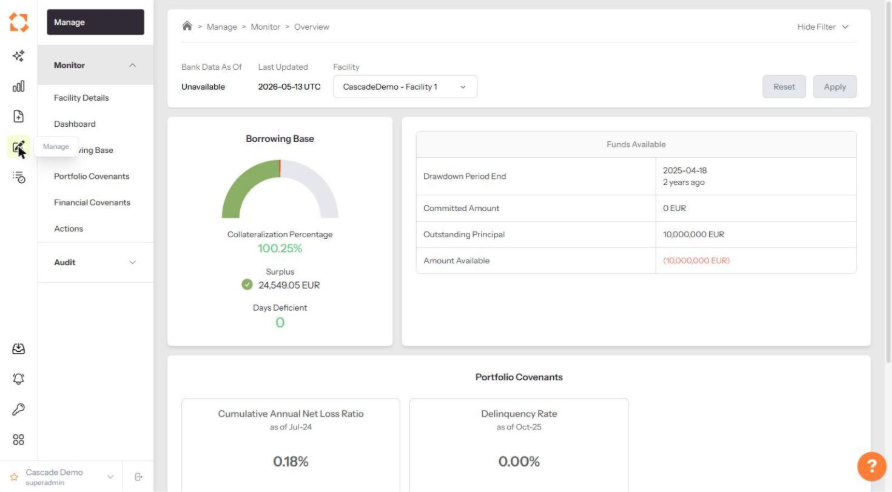
Click the pen icon in the left-hand rail. Manage opens on the Monitor overview.
|
Panel |
Tells you |
|
Borrowing Base |
Collateralization percentage, surplus or deficiency, and days deficient. Days Deficient above zero means the facility is in breach and the cure clock is running. |
|
Funds Available |
Drawdown period end, committed amount, outstanding principal and amount available to draw. |
|
Portfolio Covenants |
Each covenant's latest calculated value with its as-of month. |
Check the Facility selector and the Last Updated date before reading anything else on this page.
Facility Details
Facility Details has three tabs, and the relationship between two of them is the whole point of the page.
|
Tab |
What it holds |
|
Details |
The legal text. Cascade's extract of the executed facility documents — what the agreement says. |
|
Notes |
Your team's commentary on the facility. |
|
Implementation |
What Cascade actually built — how those terms were turned into running calculations. |
Details is the agreement. Implementation is the implementation. Read one against the other and you can see, clause by clause, whether what is being computed matches what was signed. That comparison is what the Implementation document's final section sets out formally.
Details — the legal extract
Cascade digitises the executed documents and extracts the facility's terms into structured sections — document overview, operational summary, amendment table, parties, key dates, deal size, deal tranches, deal economics and more. Each section is the agreement's own language, organised; it is not Cascade's interpretation of it.
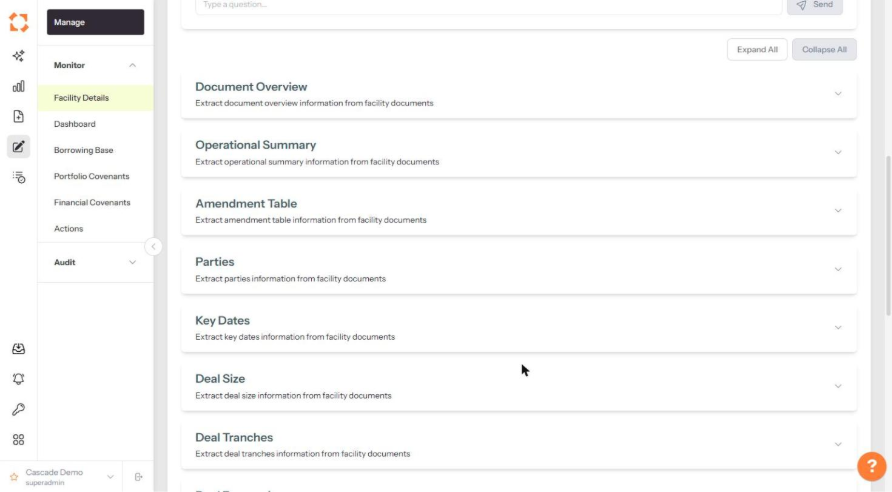
Above the sections sits Ask A Question, which answers questions against the facility documents themselves and cites the clause and agreement it drew from. Because it reads the documents rather than the configuration, it tells you what the agreement says — not what Cascade built from it.
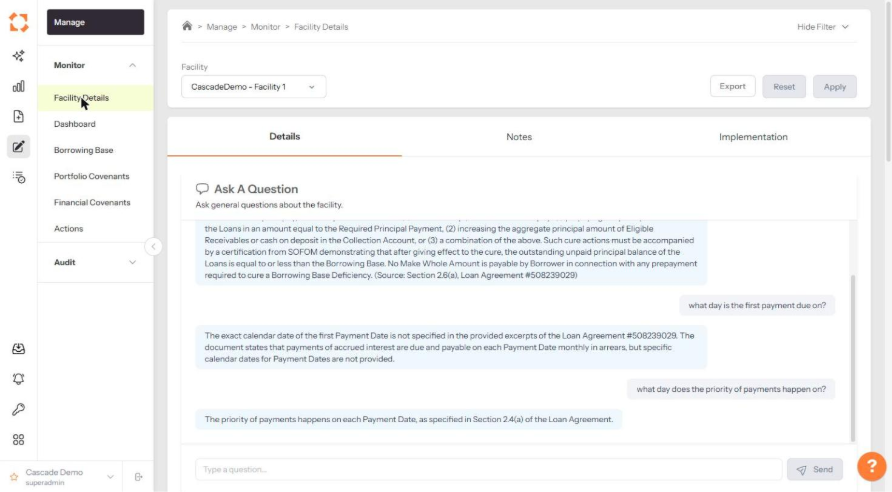
This is the fastest way to settle a "what does the agreement actually say" question without opening the PDF. As with any AI answer, confirm anything consequential against the clause it cites.
Implementation — what Cascade built
Where Details is the agreement, Implementation is the facility's Cascade Implementation Baseline — a thirteen-section account of exactly what is computed for this facility: the calculation calendar, every eligibility criterion and concentration rule with its exact test, the discount grid, the borrowing base line by line, every covenant formula and the threshold actually tested, the dashboards, the audits, a full object inventory, a Gotchas list of known defects, and a comparison of the agreement against the implementation. It is the document to reach for when a figure must be defensible. See Implementation: How Everything Was Built.
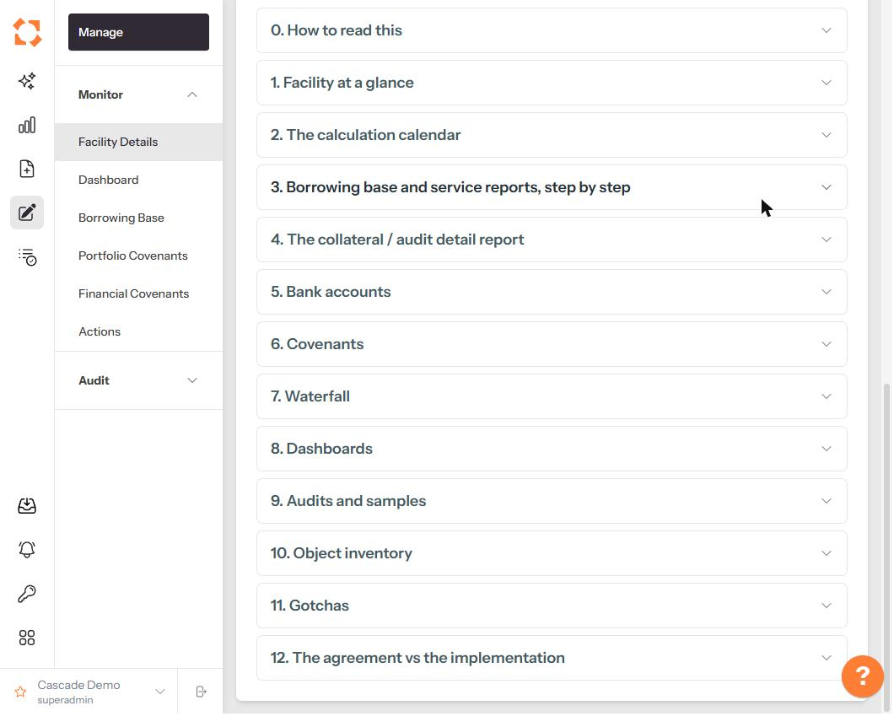
Section 12, The agreement vs the implementation, is where the two tabs meet: it compares what the executed documents require against what the code does. When a term in Details has no counterpart in Implementation — or has one that behaves differently — that is where it is recorded.
Borrowing Base
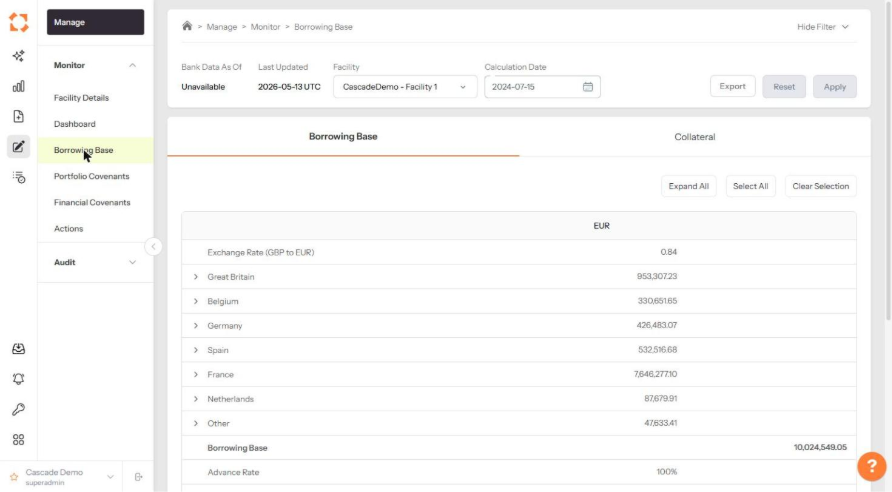
Two tabs: Borrowing Base shows the calculation build-up, expandable line by line, down to the borrowing base value and advance rate. Collateral shows the underlying assets, including which pool each loan is eligible for and, where a loan is ineligible, the rule it breached.
Set a Calculation Date to see the position as at any historical date. Export produces the collateral file.
Portfolio Covenants
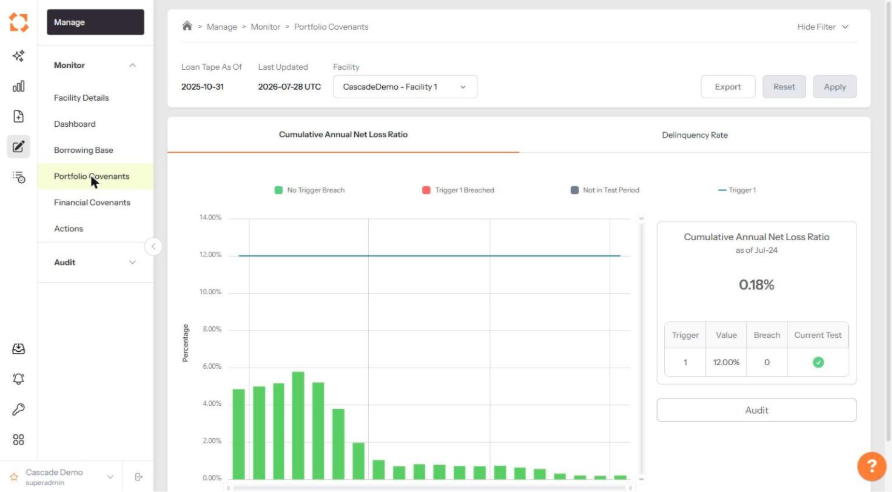
Each covenant is charted over time against its trigger levels, with bars colour-coded: green where no trigger is breached, red where one is, grey where the period is not a test period. The card on the right gives the latest value, each trigger's level, how many breaches there have been, and whether the current test passes.
Audit opens the calculation, showing each legally defined term worked out individually — which is what you need when a borrower disputes a result.
Financial Covenants
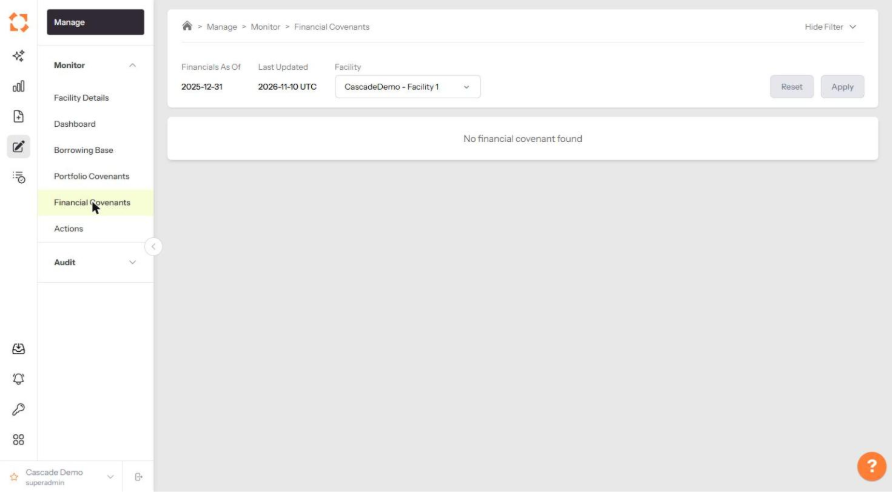
Financial covenants work the same way but are calculated from the financial statements rather than the loan tape. Note that the filter bar shows Financials As Of rather than a loan tape date.
Dashboard
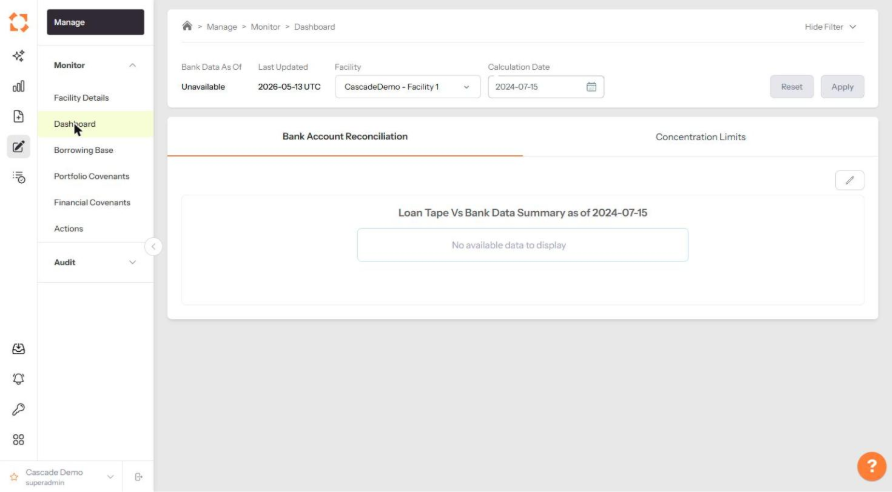
Two tabs: Bank Account Reconciliation compares loan tape payments against bank data for the calculation date, and Concentration Limits shows the facility's concentration tests.
Actions
Actions is where facility obligations are met. Three tabs.
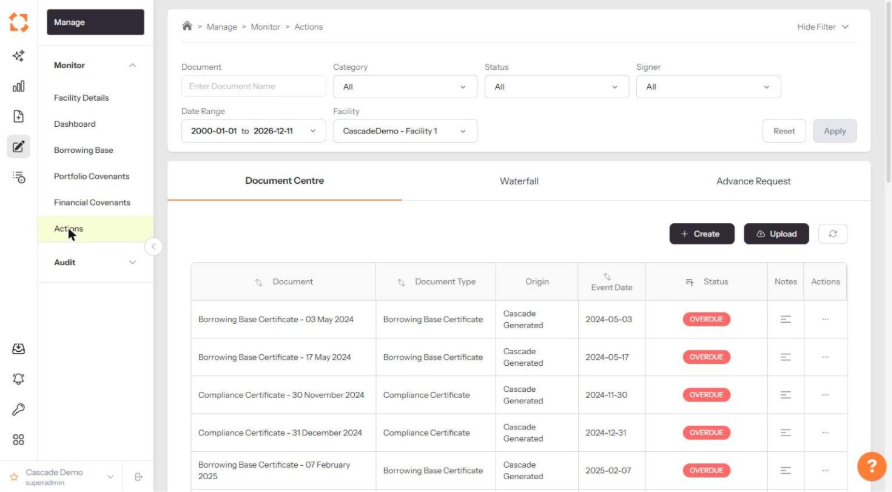
Document Centre
Every document the facility requires, with its type, whether it was Cascade-generated or user-uploaded, its event date and its status. + Create generates a document from Cascade's data; Upload adds one of your own. Filter by document name, category, status, signer and date range.
Waterfall
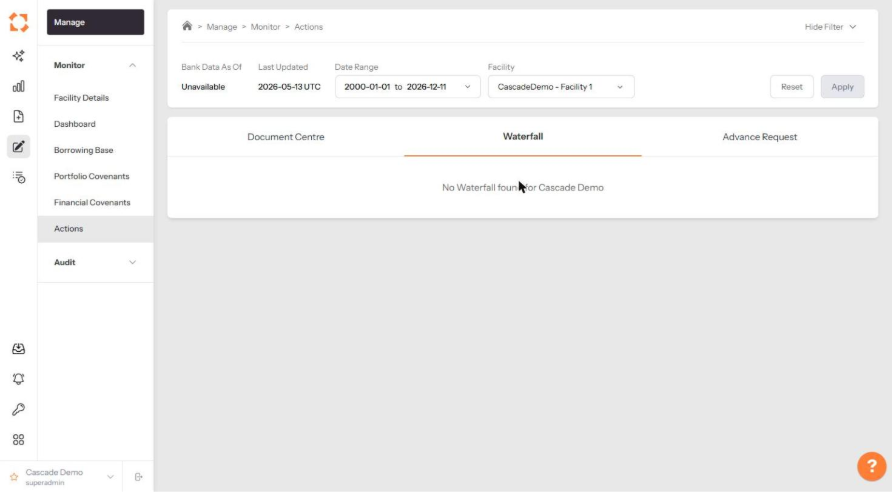
Step-by-step waterfall reporting, supporting both calculated and manual inputs with supporting evidence attached, at whatever frequency the deal requires.
Advance Request
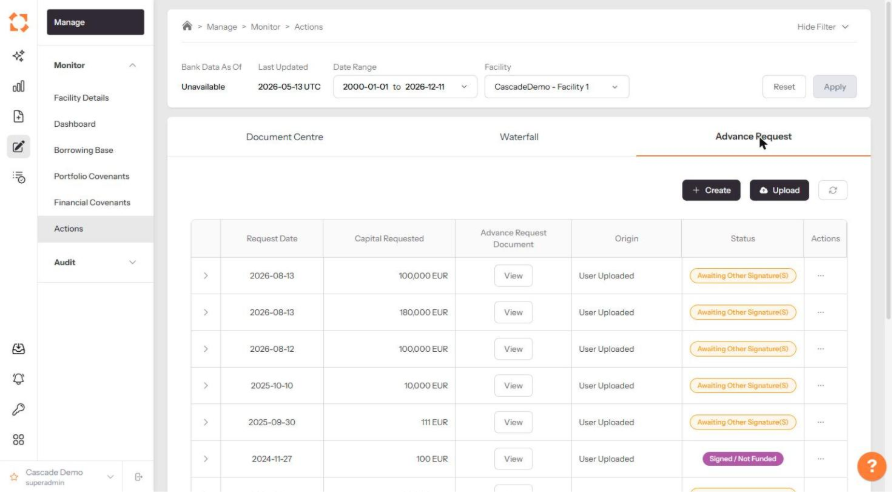
Capital advancement and repayment requests, each with its request date, capital requested, the request document, its origin and its signature status — for example *Awaiting Other Signature(s)* or *Signed / Not Funded*. + Create raises a new request; Upload adds an externally prepared one. Expand a row with the arrow at its left for detail.
Because advances feed the borrowing base and the cashflow reporting, a funded advance updates those pages automatically.